Updating the app
Applies to v1.7+ · ~2 min read · Getting started
Check the installed app version and look for an available update.
Check your version
- Open Settings.
- In Workstation, find App version.
- Record the version before contacting support or applying an update.
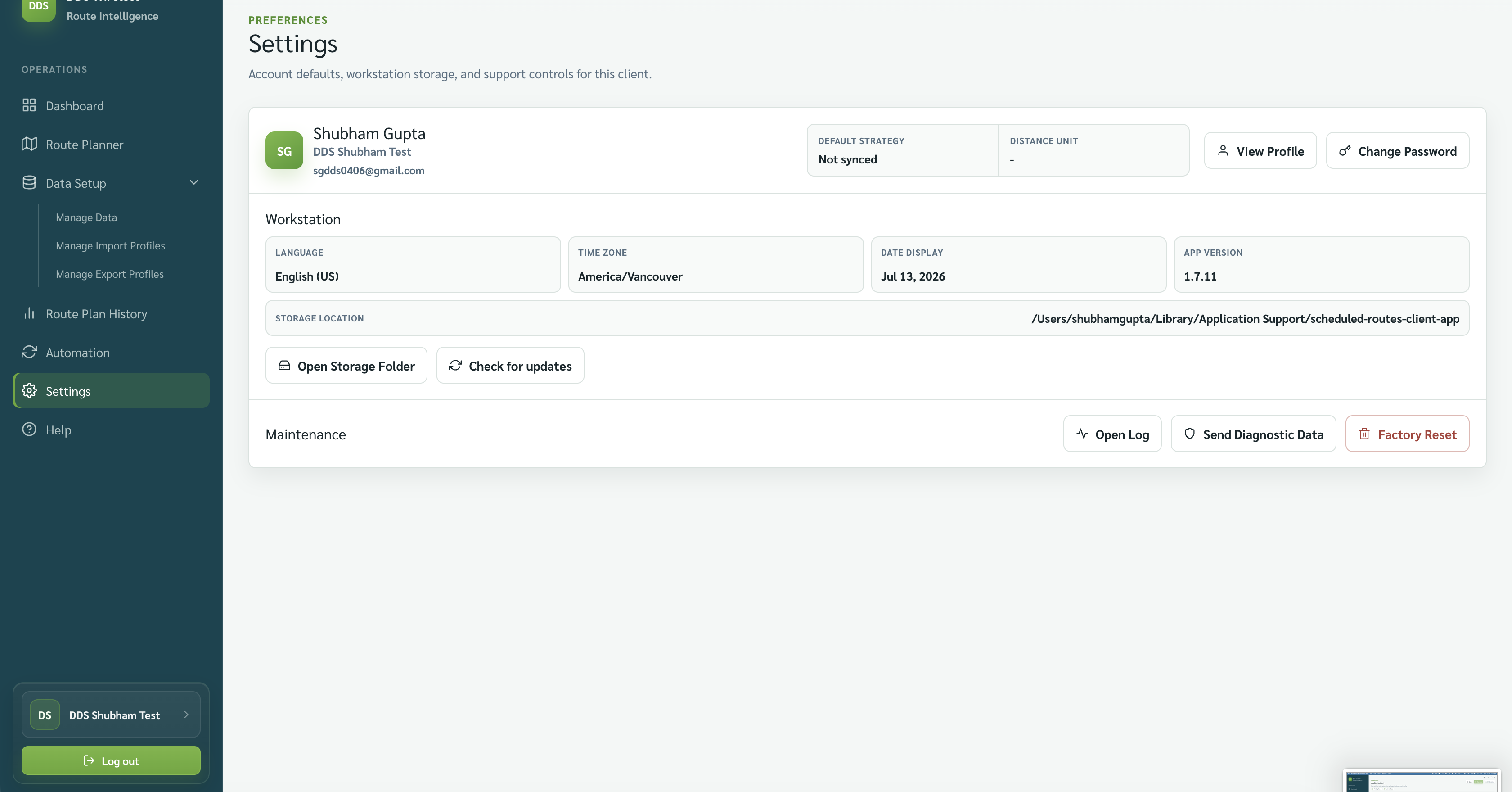
Check for updates
- In Settings, select Check for updates.
- Follow the message shown by the app.
Save your work first
Finish or save the current route plan before starting an update.
How updates are delivered
New versions are published on the Scheduled Routes desktop client download page. To update, download the latest installer and run it — no administrator access is needed, but the app restarts to finish. Your local data and saved mappings are kept.
Result
You have confirmed the current version and started the app's update check.
Related: Storage, updates and version · Settings overview · Logs and diagnostics