Settings and support
Applies to v1.7+ · ~3 min read · Settings and support
Manage account details, workstation preferences, automation, storage, and maintenance.
In this section
- Your profile and password — Review account details and open the password-change flow.
- Settings overview — Find workstation preferences, storage, profile actions, and maintenance tools.
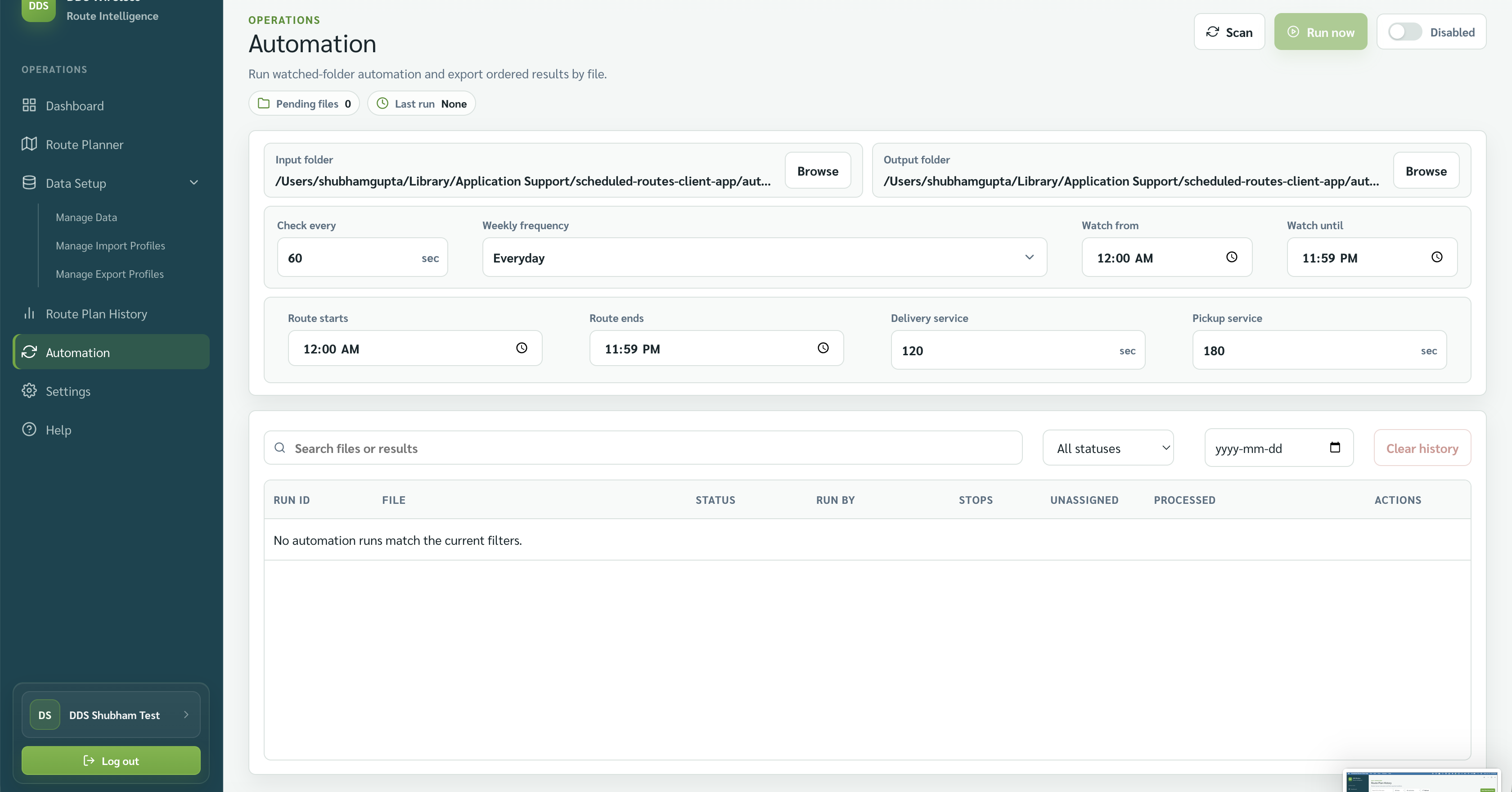
- Automation (scheduled imports and exports) — Choose watched folders and schedule automatic imports and exports.
- Clear data vs Reset workstation — Understand the difference between clearing current planning data and resetting the workstation.
- Storage and version — Find local storage and confirm the app version.
The two screens in this section
Settings — account row, workstation preferences, storage, app version, and maintenance. Covered in Settings overview, Your profile and password, and Storage and version.
Automation — a separate screen in the left navigation for watched folders and scheduled imports and exports. Covered in Automation (scheduled imports and exports).
Related: Home · Browse by type