Manage export format
Applies to v1.7+ · ~3 min read · Export and manifests
Review or update the one saved custom export format available in Route Planner.
Review the saved format
- Open Data Setup → Manage Export Profiles.
- Select the saved record.
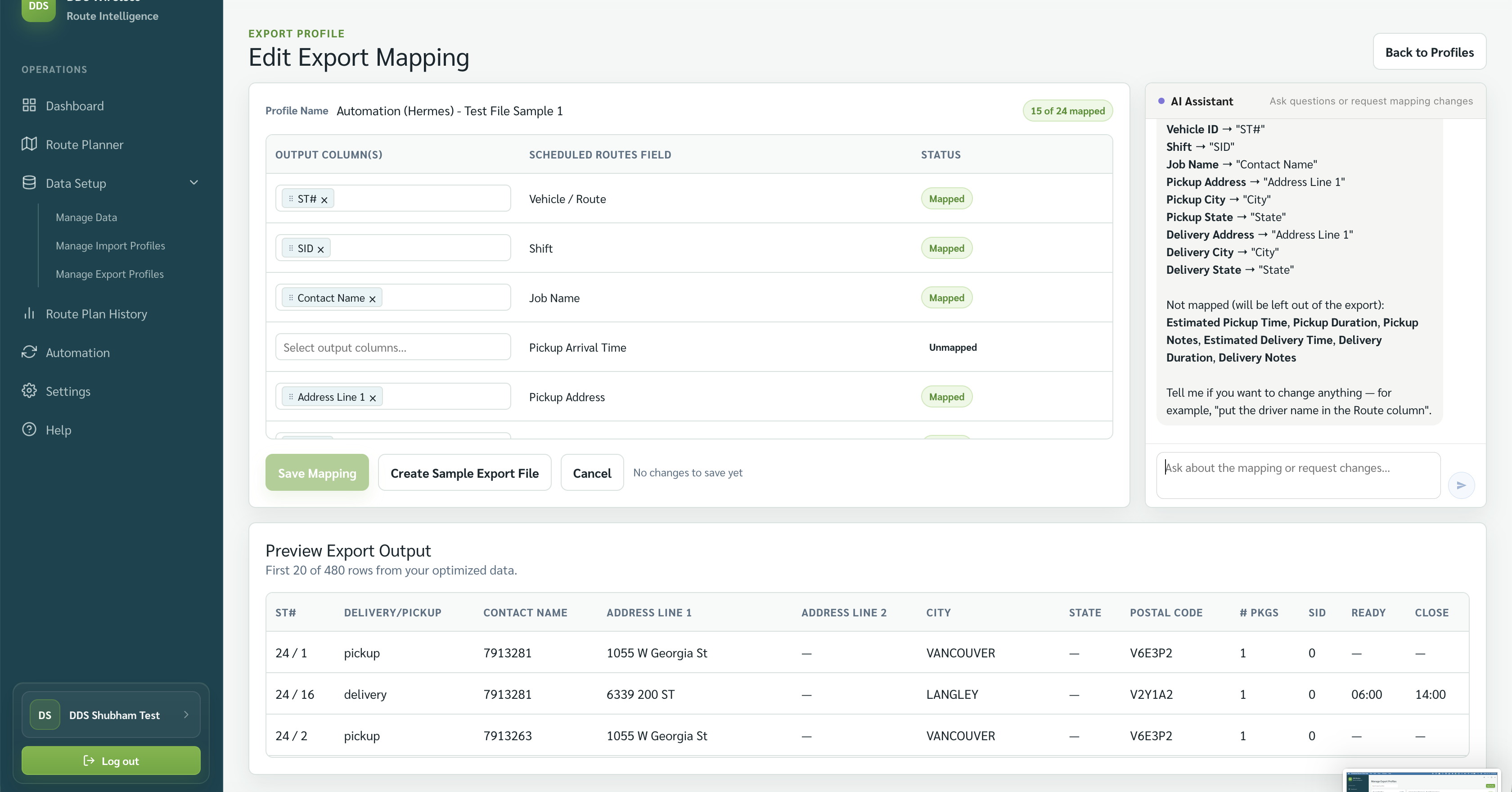
- Review its name and mapping preview.
If there is no saved custom format, select New Profile and follow Custom export format.
Update or replace the format
Open the saved format's mapping, update the template or mapped output columns, correct unmatched rows, and select Save Mapping. The new mapping replaces the previously saved custom format.
Only one custom format is stored
Saving an update does not create a second format. Route Planner uses the latest saved version.
Effect on Automation and past manifests
Updating the custom export format does not change manifests you already exported. Automation exports data in the same format the files were imported in, so it is not tied to the manually chosen custom format.
Related: Custom export format · Built-in exports · Automation