Your profile and password
Applies to v1.7+ · ~3 min read · Settings and support
View your account details or open the password-change flow from Settings.
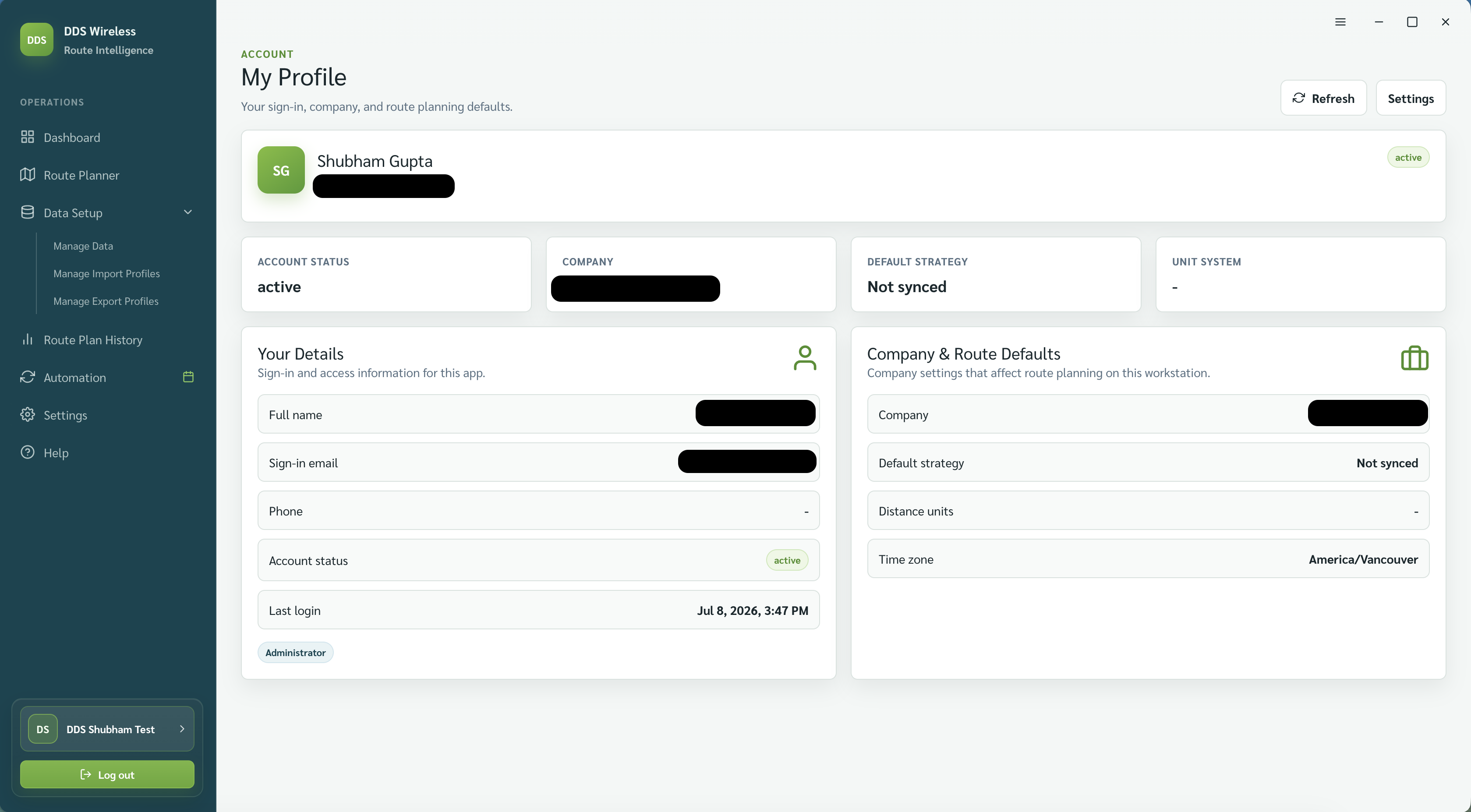
Open your profile
- Open Settings.
- In the account row, select View Profile.
- Review your name, email, role, company, and last-login details.
Change your password
- Return to the account row in Settings.
- Select Change Password.
-
Enter the new password. The Change Password panel lists five rules and ticks each one as you satisfy it:
- At least 6 characters
- One uppercase letter
- One lowercase letter
- One number
- One special character, from
~ ! @ # $ % ^ & * ( ) _ - + = { } ; : ' " | < > , . ? /
-
Select Update Password. Update Password stays disabled until all five rules are met.
What to expect
You don't need to enter your current password, but the new one must meet the rules above. Updating your password signs you out, so sign back in with the new credentials. Only the signed-in user can change their own password.
Related: Settings overview · Storage and version · Install and first launch