Optimization and readiness warnings
Applies to v1.7+ · ~3 min read · Troubleshooting
Readiness warnings appear before optimization when the selected route date does not yet have valid work or vehicle data.
No jobs for the route date
The Jobs included card shows zero and Needs attention says there are no jobs for the selected route date.
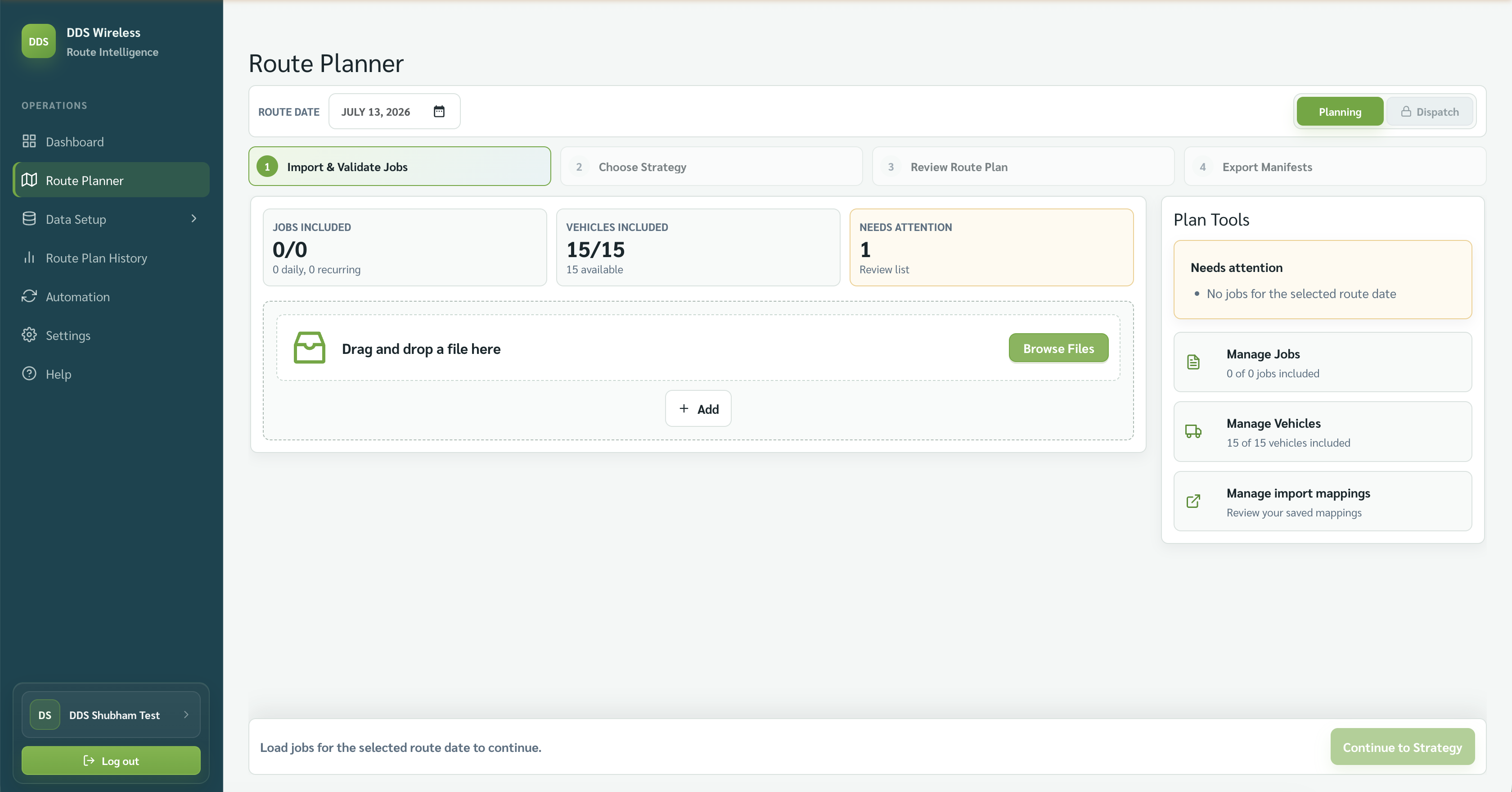
Check the route date, then browse for the correct file or use + Add.
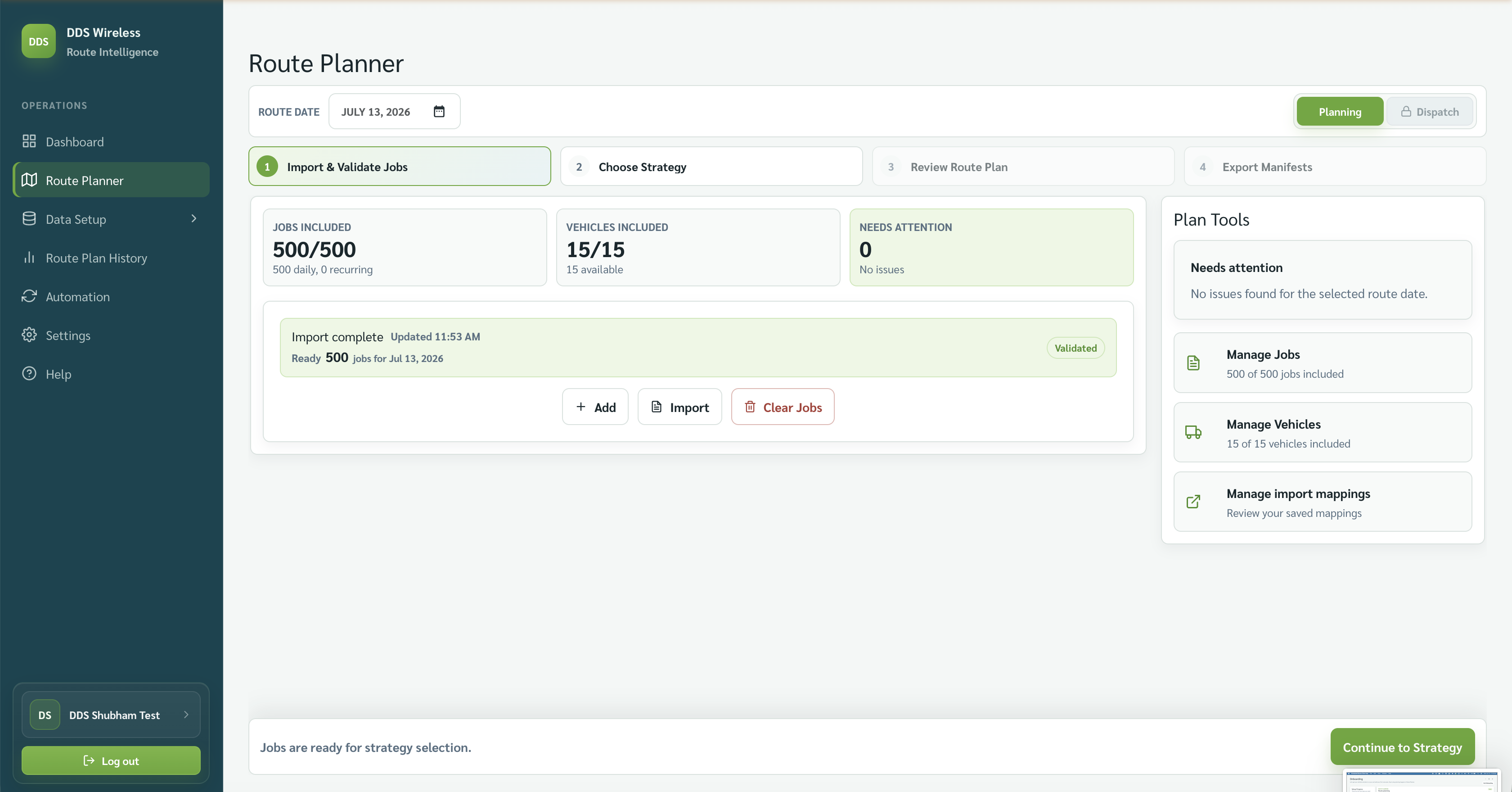
Imported data is ready
When the cards show the expected job and vehicle counts, the import status is validated and Continue to Strategy becomes available.
Warning checklist
- Confirm the route date.
- Confirm the job file belongs to that date.
- Confirm active vehicles are included.
- Review mapping warnings before continuing.
More warning detail coming
A full catalogue of readiness-warning messages will be added here in a later update.
Related: Daily planning workflow · Upload failed or mapping not recognized · Jobs unassigned warnings